
Lesson 8 of 10
Lesson 08: Barcode & QR Code Scanning
4 min read Viet-Anh Nguyen
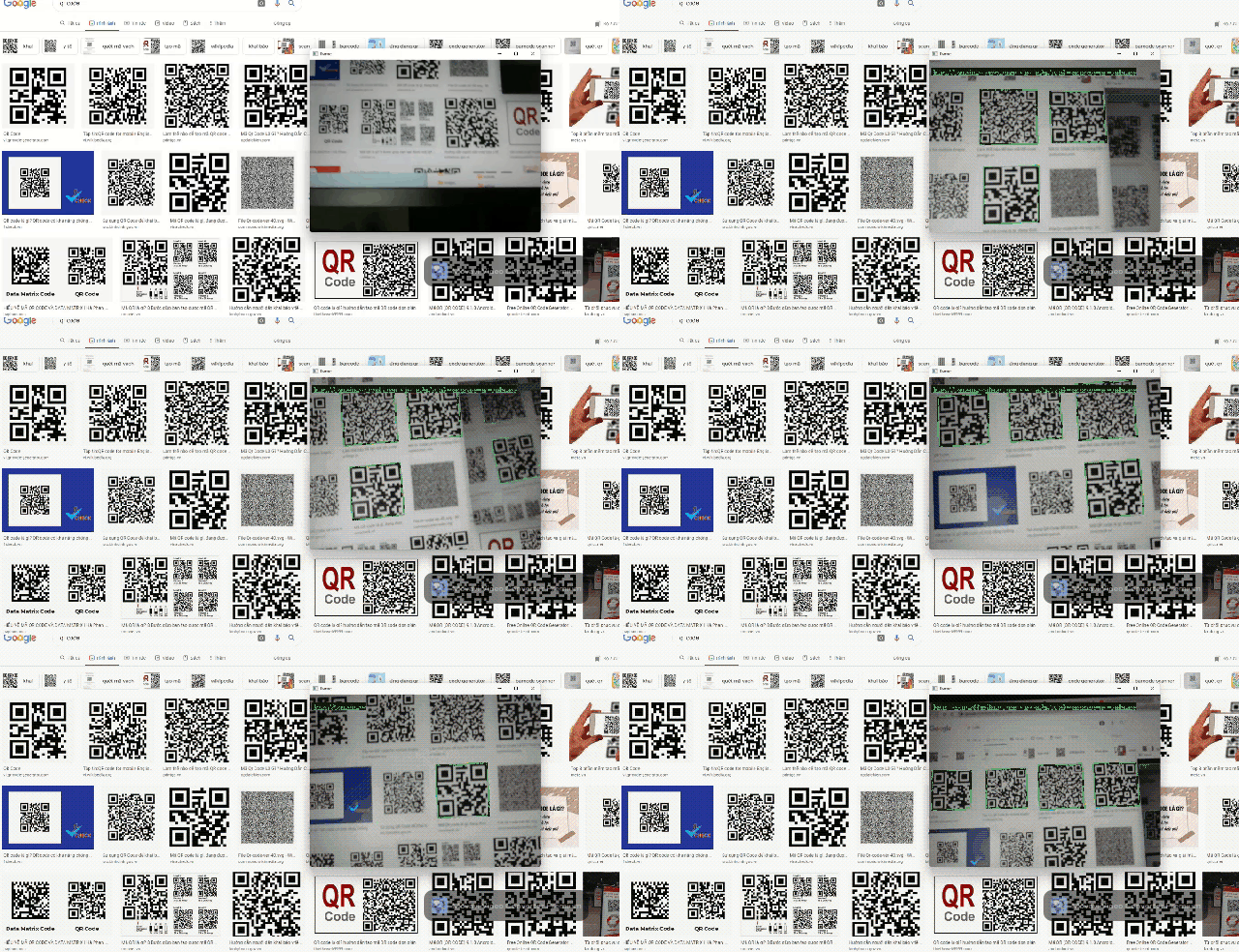
Viet-Anh NguyenBarcodeScannerFlow is DaisyKit's barcode and QR code reader. Unlike the other flows, it uses no neural network — it is powered by ZXing-CPP, a fast classical computer vision algorithm. This means it works offline, requires no model download, and runs instantly even on low-power hardware.
Supported Formats
ZXing-CPP reads all major 1D and 2D barcode formats:
| Type | Formats |
|---|---|
| 2D | QR Code, Data Matrix, PDF417, Aztec Code |
| 1D | EAN-13, EAN-8, UPC-A, UPC-E, Code 128, Code 39 |
Configuration
import json

config = {
    "try_harder": True,    # try multiple scanning angles — slower but more robust
    "try_rotate": True,    # scan rotated barcodes (helps with tilted codes)
}
BarcodeScannerFlow takes no model paths — there is nothing to download.
Real-Time Webcam Demo
import cv2
import json
from daisykit import BarcodeScannerFlow
from daisykit.utils import to_py_type

config = {"try_harder": True, "try_rotate": True}
flow = BarcodeScannerFlow(json.dumps(config))

cap = cv2.VideoCapture(0)

while True:
    ret, frame = cap.read()
    if not ret:
        break

    rgb = cv2.cvtColor(frame, cv2.COLOR_BGR2RGB)

    # draw=True draws the detected region and decoded text on rgb
    result = flow.Process(rgb, draw=True)

    display = cv2.cvtColor(rgb, cv2.COLOR_RGB2BGR)
    cv2.imshow("Barcode Scanner", display)

    # Print decoded values
    results_py = to_py_type(result)
    for r in results_py:
        print(f"  [{r['format']}] {r['text']}")

    if cv2.waitKey(1) & 0xFF == ord("q"):
        break

cap.release()
cv2.destroyAllWindows()
Reading Barcode Data
from daisykit.utils import to_py_type

result = flow.Process(rgb, draw=False)  # draw=False for raw data only
codes = to_py_type(result)

for code in codes:
    print(f"Format: {code['format']}")   # e.g. "QR_CODE", "EAN_13"
    print(f"Text:   {code['text']}")     # decoded string content
    print(f"Points: {code['points']}")   # corner points of the code region
Scanning a Static Image
import cv2
from daisykit import BarcodeScannerFlow
from daisykit.utils import to_py_type
import json

# Generate a test QR code image first:
# pip install qrcode pillow
import qrcode
qr = qrcode.make("https://vietanh.dev")
qr.save("test_qr.png")

config = {"try_harder": True, "try_rotate": True}
flow = BarcodeScannerFlow(json.dumps(config))

img = cv2.imread("test_qr.png")
rgb = cv2.cvtColor(img, cv2.COLOR_BGR2RGB)

result = flow.Process(rgb, draw=True)
codes = to_py_type(result)

for code in codes:
    print(f"  Decoded: {code['text']}")
# Expected: "https://vietanh.dev"

cv2.imwrite("qr_result.jpg", cv2.cvtColor(rgb, cv2.COLOR_RGB2BGR))
Building a URL Launcher
A practical example: scan a QR code and open the URL in a browser automatically.
import cv2
import json
import webbrowser
from daisykit import BarcodeScannerFlow
from daisykit.utils import to_py_type

config = {"try_harder": True, "try_rotate": True}
flow = BarcodeScannerFlow(json.dumps(config))

cap = cv2.VideoCapture(0)
seen = set()  # avoid opening the same URL twice

while True:
    ret, frame = cap.read()
    if not ret:
        break

    rgb = cv2.cvtColor(frame, cv2.COLOR_BGR2RGB)
    result = flow.Process(rgb, draw=True)
    codes = to_py_type(result)

    for code in codes:
        text = code["text"]
        if text not in seen:
            seen.add(text)
            print(f"Scanned: {text}")
            if text.startswith("http"):
                webbrowser.open(text)

    display = cv2.cvtColor(rgb, cv2.COLOR_RGB2BGR)
    cv2.imshow("QR URL Launcher", display)

    if cv2.waitKey(1) & 0xFF == ord("q"):
        break

cap.release()
cv2.destroyAllWindows()
Performance Tips
try_harder=False, try_rotate=False— fastest mode, only scans axis-aligned codestry_harder=True, try_rotate=True— robust but ~2× slower- For production systems with high scan volume, use
try_harder=Falseand rotate the image yourself before scanning
Applications
- Inventory management — scan product barcodes to update stock
- Smart attendance — students scan a QR code to register presence
- Contactless menus — restaurants use QR codes to serve digital menus
- Asset tracking — scan labels on equipment for maintenance logs
- IoT projects — Raspberry Pi reads QR codes to trigger actions
Conclusion
BarcodeScannerFlow handles all common 1D and 2D code formats with no model download, no GPU, and no training data. It's the simplest flow in DaisyKit to deploy. In the next lesson we take DaisyKit to mobile — Android and iOS.