
Lesson 05: Background Matting
 Viet-Anh Nguyen
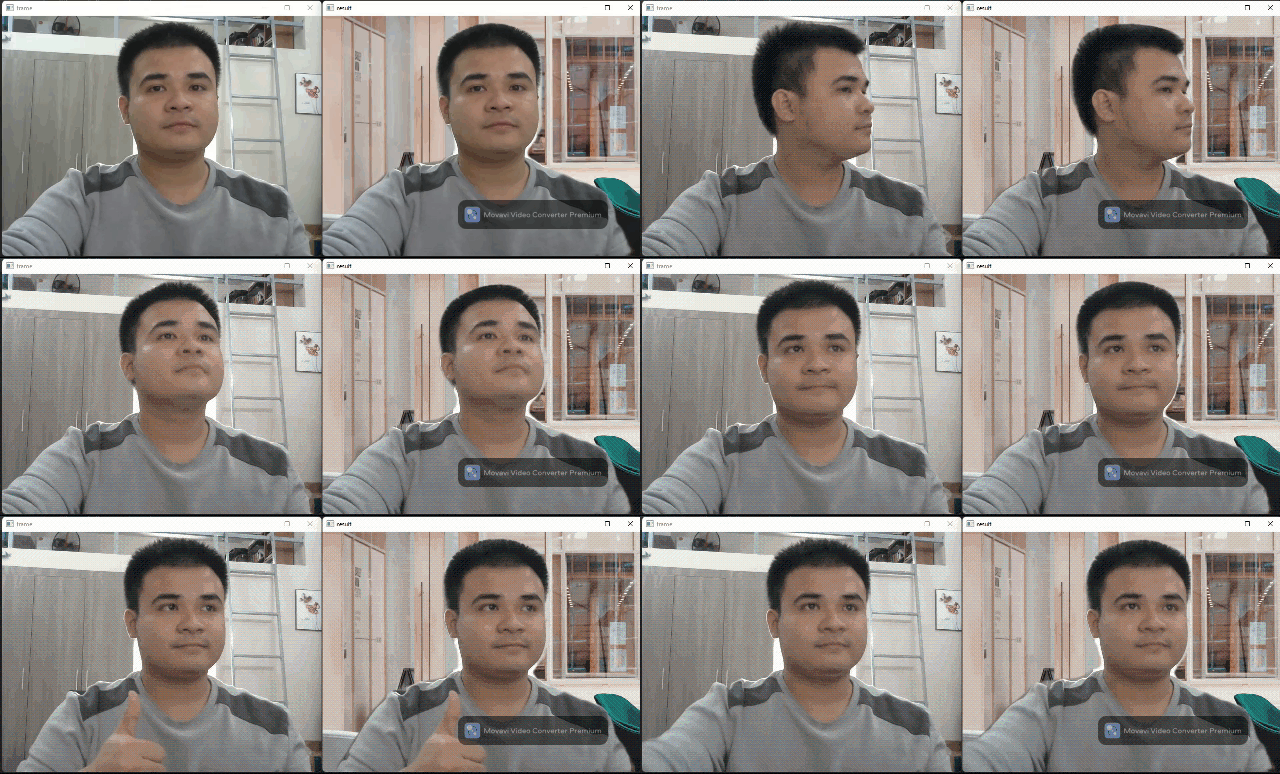
BackgroundMattingFlow uses a portrait segmentation model to separate a person from the background in each frame. The segmentation mask is then used to composite the person onto a new background — exactly like the background replacement feature in Google Meet or Zoom.
No green screen required. The ERD (Encoder-Residual-Decoder) segmentation model generates a soft alpha mask purely from the image content.
Configuration
import json
from daisykit.utils import get_asset_file

config = {
    "background_matting_model": {
        "model": get_asset_file(
            "models/background_matting/erd/erdnet.param"
        ),
        "weights": get_asset_file(
            "models/background_matting/erd/erdnet.bin"
        ),
        "input_width": 256,
        "input_height": 256,
        "use_gpu": False,
    },
}
The model runs on 256×256 crops and produces a grayscale alpha mask where white = foreground person, black = background.
Using a Custom Background Image
import cv2
import json
from daisykit.utils import get_asset_file
from daisykit import BackgroundMattingFlow

config = { ... }  # as above

# Load your background image — must be resized to match the webcam frame
background = cv2.imread("my_background.jpg")
background = cv2.cvtColor(background, cv2.COLOR_BGR2RGB)

flow = BackgroundMattingFlow(json.dumps(config), background)
Or use the bundled default background:
default_bg = get_asset_file("images/background.jpg")
background = cv2.imread(default_bg)
background = cv2.cvtColor(background, cv2.COLOR_BGR2RGB)

flow = BackgroundMattingFlow(json.dumps(config), background)
Real-Time Webcam Demo
import cv2
import json
from daisykit.utils import get_asset_file
from daisykit import BackgroundMattingFlow

config = { ... }

default_bg = get_asset_file("images/background.jpg")
background = cv2.cvtColor(cv2.imread(default_bg), cv2.COLOR_BGR2RGB)

flow = BackgroundMattingFlow(json.dumps(config), background)
cap = cv2.VideoCapture(0)

while True:
    ret, frame = cap.read()
    if not ret:
        break

    rgb = cv2.cvtColor(frame, cv2.COLOR_BGR2RGB)

    mask = flow.Process(rgb)
    flow.DrawResult(rgb, mask)

    display = cv2.cvtColor(rgb, cv2.COLOR_RGB2BGR)
    cv2.imshow("Background Matting", display)

    if cv2.waitKey(1) & 0xFF == ord("q"):
        break

cap.release()
cv2.destroyAllWindows()
# Expected: webcam feed with original background replaced by the loaded background image
Switching Backgrounds Dynamically
You can update the background while the flow is running:
backgrounds = [
    cv2.cvtColor(cv2.imread("bg_office.jpg"), cv2.COLOR_BGR2RGB),
    cv2.cvtColor(cv2.imread("bg_beach.jpg"),  cv2.COLOR_BGR2RGB),
    cv2.cvtColor(cv2.imread("bg_space.jpg"),  cv2.COLOR_BGR2RGB),
]
current_bg = 0

while True:
    ret, frame = cap.read()
    if not ret:
        break

    rgb = cv2.cvtColor(frame, cv2.COLOR_BGR2RGB)

    # Recreate flow with new background on keypress
    mask = flow.Process(rgb)
    flow.DrawResult(rgb, mask)

    display = cv2.cvtColor(rgb, cv2.COLOR_RGB2BGR)
    cv2.imshow("Background Matting", display)

    key = cv2.waitKey(1) & 0xFF
    if key == ord("n"):
        current_bg = (current_bg + 1) % len(backgrounds)
        flow = BackgroundMattingFlow(json.dumps(config), backgrounds[current_bg])
    elif key == ord("q"):
        break
Reading the Segmentation Mask
If you need the raw alpha mask for further processing:
from daisykit.utils import to_py_type
import numpy as np

rgb = cv2.cvtColor(frame, cv2.COLOR_BGR2RGB)
mask = flow.Process(rgb)
mask_py = to_py_type(mask)

# mask_py is a 2D array (height x width) with values 0–255
# 255 = person, 0 = background
alpha = np.array(mask_py, dtype=np.uint8)

# Manual composite
foreground = rgb.copy()
bg_resized = cv2.resize(background, (frame.shape[1], frame.shape[0]))
for c in range(3):
    foreground[:, :, c] = (alpha / 255.0 * rgb[:, :, c] +
                           (1 - alpha / 255.0) * bg_resized[:, :, c])
Performance Tips
- Input resolution: The model runs on 256×256. Larger frames are resized internally, but faster hardware lets you reduce latency by resizing the webcam frame first:
frame = cv2.resize(frame, (640, 480)) # reasonable default - Lighting: The segmentation works best with clear contrast between the person and background. Backlit scenes and busy backgrounds reduce mask quality.
- GPU: Set
"use_gpu": Truewith a Vulkan-capable build for 2–3× speedup on laptops with a discrete GPU.
Applications
- Video calls — background replacement without a green screen
- Content creation — record tutorials with a clean virtual background
- Privacy — blur or replace your background to hide your environment
- AR experiences — composite a person into a virtual scene in real time
Conclusion
BackgroundMattingFlow turns a single neural network call into a complete background replacement pipeline. No green screen, no chroma keying, no per-pixel tweaking. In the next lesson we detect 3D hand keypoints for gesture-based interaction.