
Lesson 01: Why Annotation Matters
 Viet-Anh Nguyen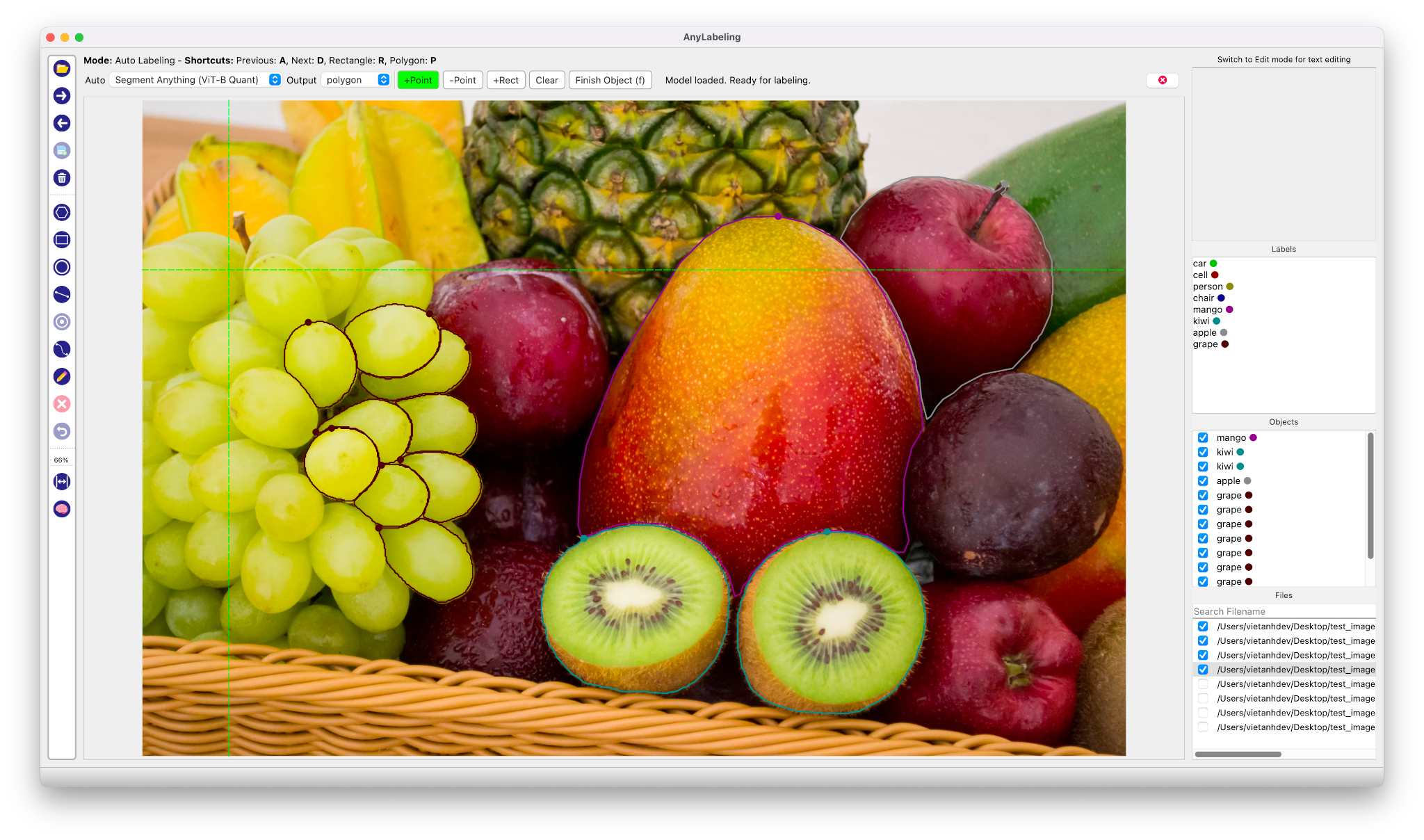
Here is something that took me years to internalize: the difference between a model that works in a notebook and a model that works in production is almost never the architecture. It is the data.
You can swap ResNet for EfficientNet, tune learning rates for a week, stack every augmentation in Albumentations — and still lose to a team that spent that same week cleaning up 500 mislabeled images. Andrew Ng has been beating this drum with his Data-Centric AI initiative, and the numbers back him up. Research from Landing AI found that fixing label errors in benchmark datasets improved model accuracy more than architectural changes.
Annotation is where data quality lives or dies. This course is about doing it well — and doing it fast.
The Real Cost of Bad Labels
When a label is wrong, the damage compounds:
- Training — the model learns the wrong decision boundary. One mislabeled "stop sign" as "speed limit" is worth dozens of correct examples in the wrong direction.
- Evaluation — your metrics lie. A model might actually be correct on an example that your noisy test set marks as wrong, so you chase phantom regressions.
- Debugging — you spend hours staring at failure cases that are not model failures at all. They are annotation failures you are paying engineering time to chase.
A 2021 study by Curtis Northcutt et al. found label errors in 3-6% of test sets across 10 major benchmarks, including ImageNet. If your production dataset was annotated by a team under time pressure with ambiguous guidelines, expect worse.
Why AI-Assisted Annotation Changes the Game
Traditional annotation is painful. Drawing a pixel-perfect polygon around a car takes 30-90 seconds. Multiply by 10,000 images and you are looking at weeks of tedious work — or a five-figure bill from a labeling vendor.
AI-assisted annotation flips the workflow:
| Step | Traditional | AI-Assisted |
|---|---|---|
| 1 | Draw from scratch | Model generates draft labels |
| 2 | Review (rare) | Human corrects mistakes |
| 3 | Export | Export |
| Time per image | 30-90 seconds | 5-15 seconds |
Instead of creating labels, you are reviewing and correcting them. That is 3-6x faster, and — counterintuitively — it often produces higher quality because reviewing is cognitively easier than creating.
The Annotation Tool Landscape
The annotation space is crowded. Here is how the major tools stack up:
| Tool | Open Source | AI-Assisted | Desktop | Self-Hosted | Cost |
|---|---|---|---|---|---|
| LabelImg | Yes | No | Yes | N/A | Free |
| Labelme | Yes | No | Yes | N/A | Free |
| Label Studio | Yes | Plugin-based | No (web) | Yes | Free / Enterprise |
| CVAT | Yes | Plugin-based | No (web) | Yes | Free / Enterprise |
| Roboflow | No | Yes | No (web) | No | Freemium |
| AnyLabeling | Yes | Built-in | Yes | N/A | Free |
AnyLabeling occupies a unique position: it is a desktop app with built-in AI models. No server to deploy. No API keys to configure. No browser tabs to manage. You pip install anylabeling, open your image folder, click the brain icon, and start labeling with SAM or YOLO out of the box.
What AnyLabeling Does
AnyLabeling started as a project to combine the simplicity of LabelImg and Labelme with modern AI models. It has grown into a full-featured annotation tool:
Manual annotation — rectangle, polygon, circle, line, point, and rotation annotations with keyboard shortcuts for speed.
AI auto-labeling — built-in support for the Segment Anything family (SAM, SAM 2, SAM 2.1, SAM 3, MobileSAM) and YOLO models (YOLOv5, YOLOv8). Models auto-download from Hugging Face on first use.
Text and OCR — text detection, recognition, and Key Information Extraction for document annotation tasks.
Multi-format export — COCO JSON, YOLO TXT, Pascal VOC XML, and Apple CreateML JSON. One annotation session, multiple training framework targets.
Custom models — load your own ONNX models with a YAML config file. Train a domain-specific detector, convert to ONNX, and use it as your auto-labeling backbone.
Multi-language — English, Vietnamese, and Chinese interfaces.
What This Course Covers
This is not a tool tutorial that walks you through menus. By the end, you will have a complete annotation pipeline:
- Lessons 01-03: Foundations — install, navigate the UI, and master manual annotation so you understand what the AI is automating.
- Lessons 04-06: AI-assisted labeling — SAM for segmentation, YOLO for detection, OCR for text. This is where annotation speed jumps 3-6x.
- Lessons 07-08: Export and extensibility — get your labels into the format your training pipeline expects, and load custom models when the built-in ones are not enough.
- Lessons 09-11: Production strategy — annotation guidelines, active learning loops, and team scaling. This is the content that separates hobby projects from production ML.
Key Takeaways
- Data quality is the highest-leverage activity in applied ML. Annotation is where data quality is determined.
- AI-assisted annotation shifts the human role from creating labels to reviewing them — faster and more accurate.
- AnyLabeling is a desktop tool with built-in SAM and YOLO models. No server, no API keys, no setup friction.
- This course covers both the tool and the strategy. Knowing which buttons to click is necessary but not sufficient.
In the next lesson, you will install AnyLabeling and create your first annotations.